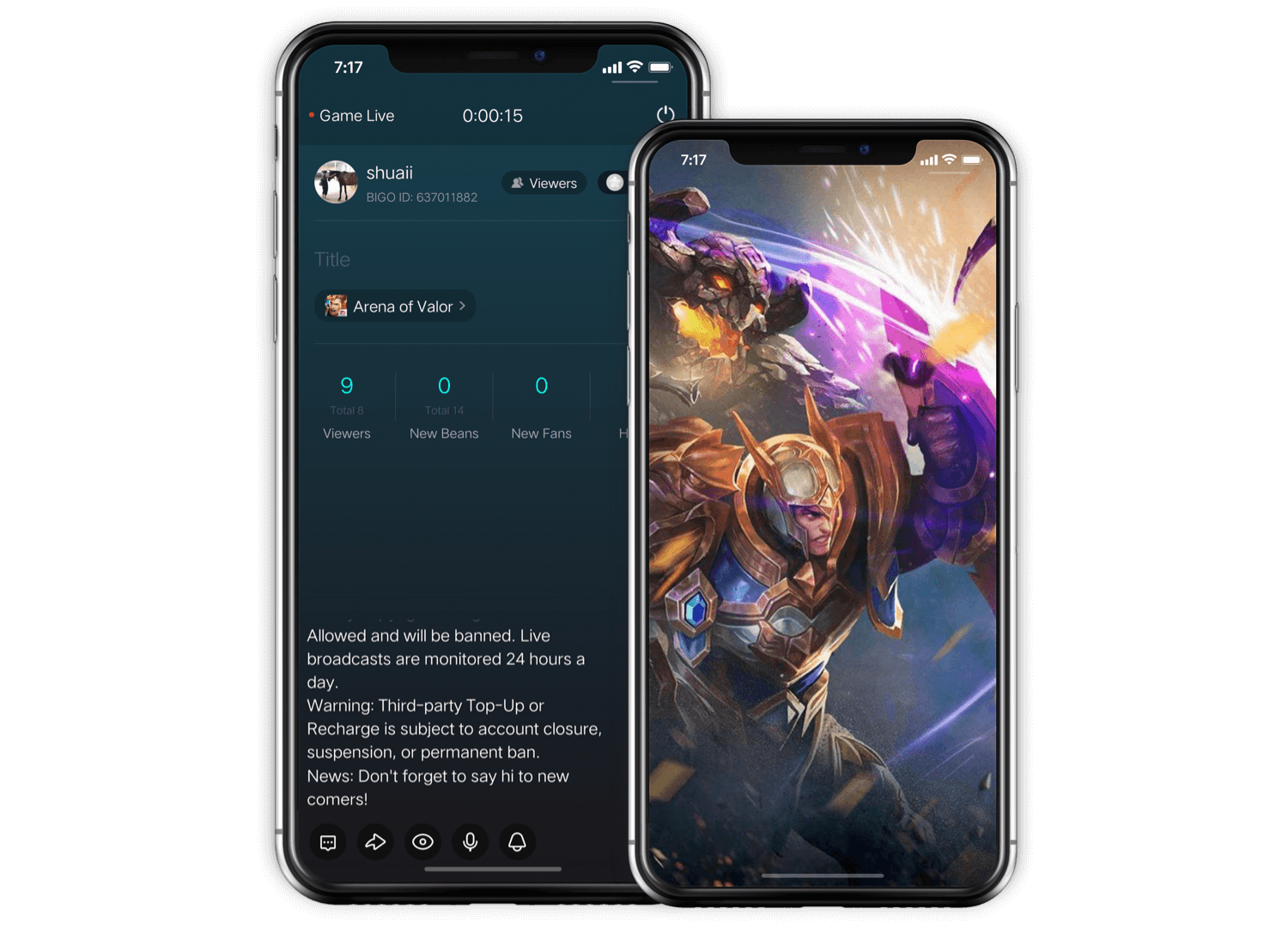
BIGO LIVE iOS
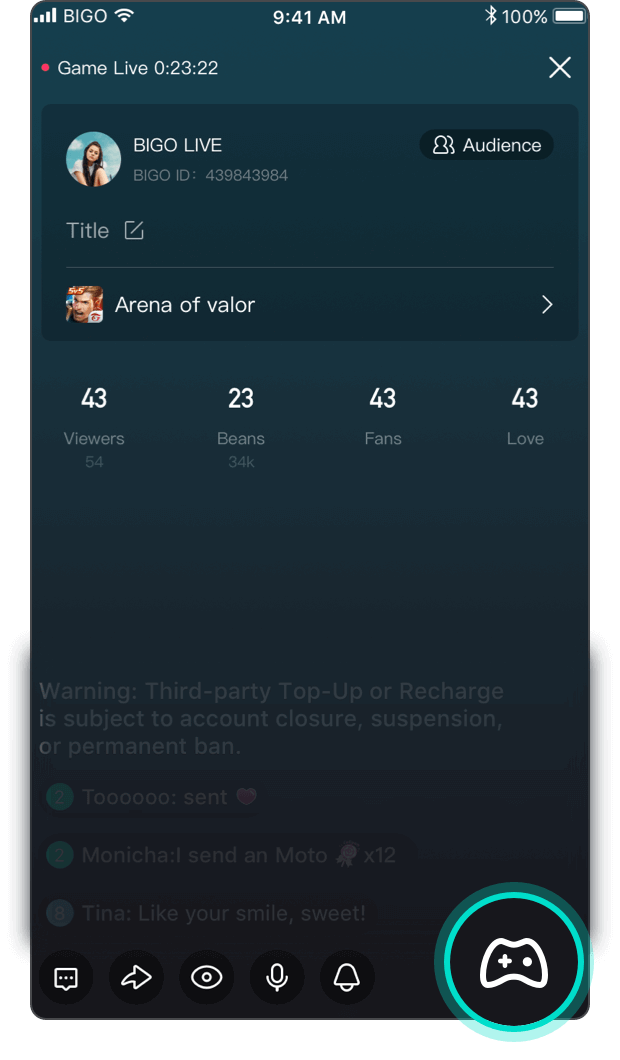
Can be launched directly in APP.
Easy to interact with the audience.
Can directly reply to the audience in APP.
Bullet is injected into the game!
Can view who is in your room on toolbar.
There are more fun features on the way..

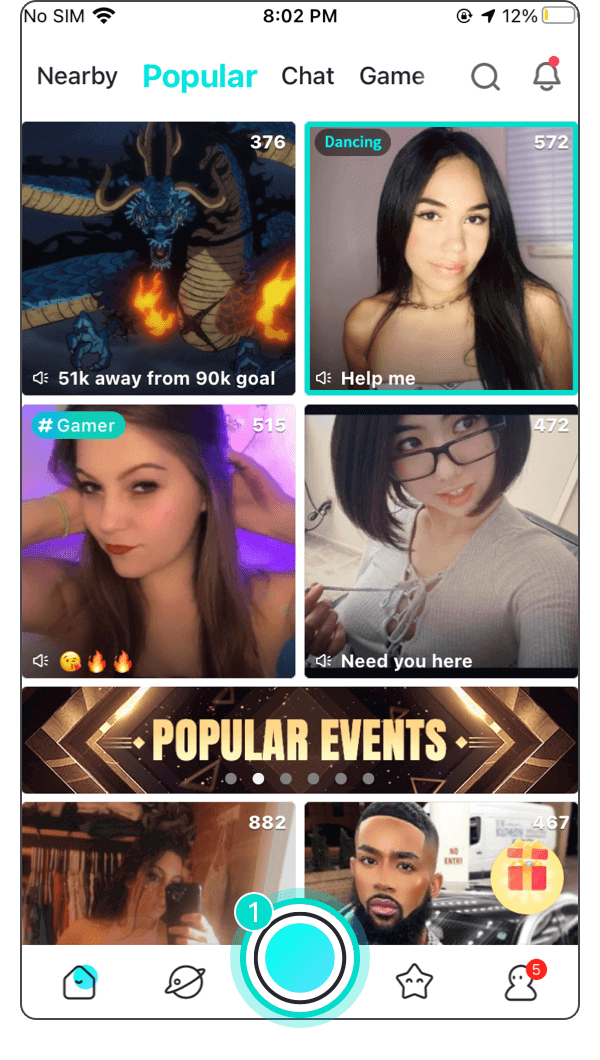
1. Click the live button
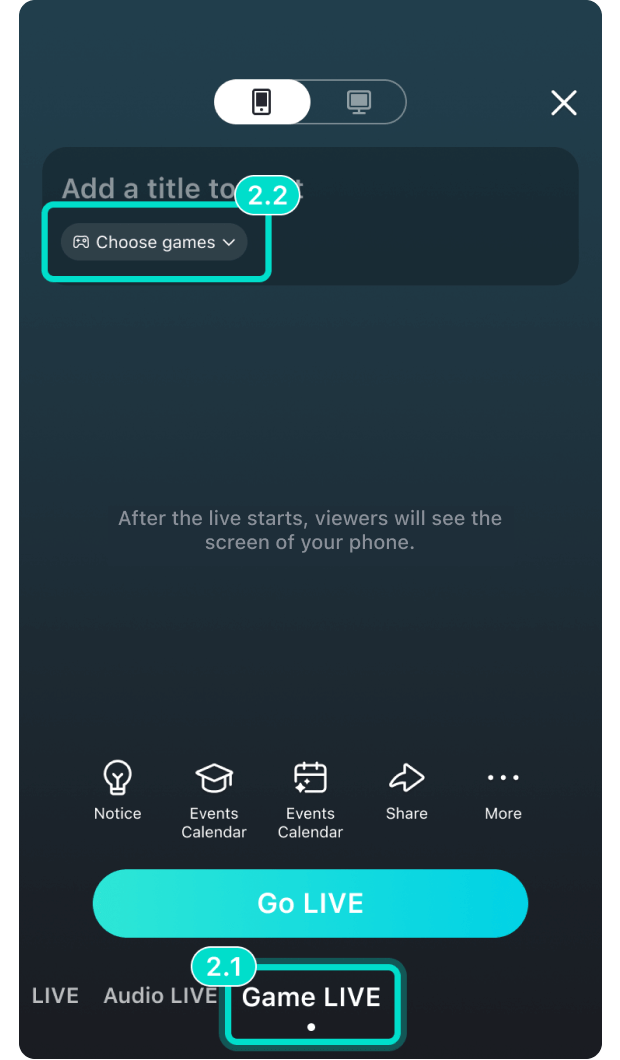
2. Choose game live broadcast
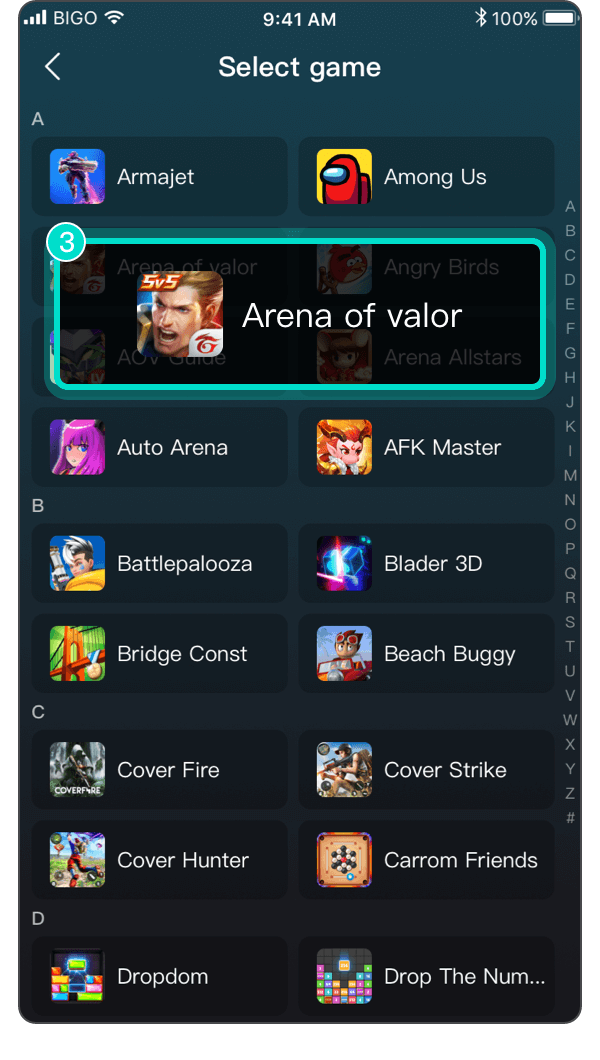
3. Select the game that will be broadcast live
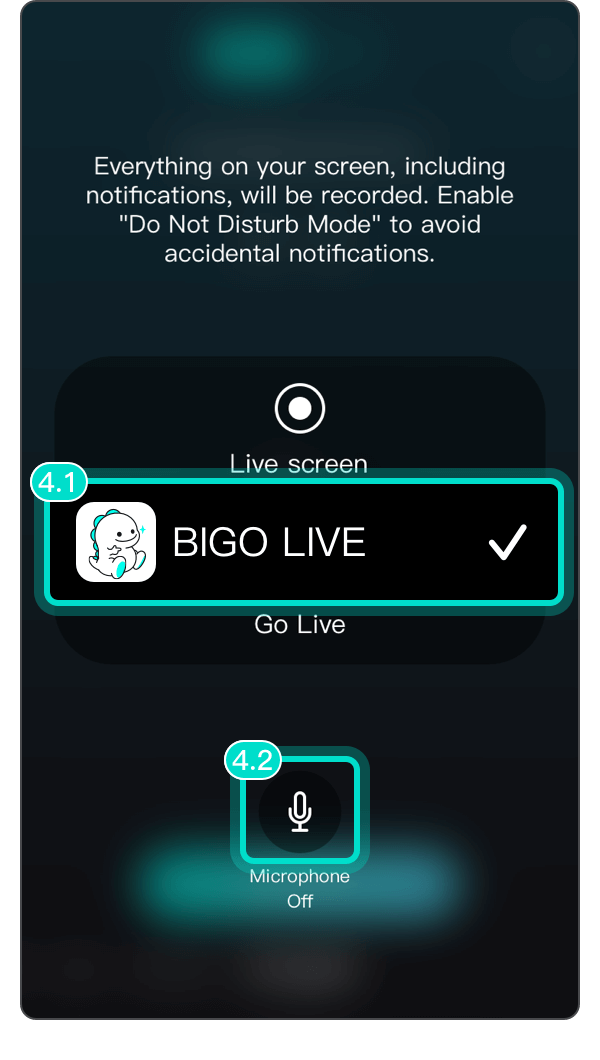
4. Select Bigo live, open the Microphone and click 【Go Live】
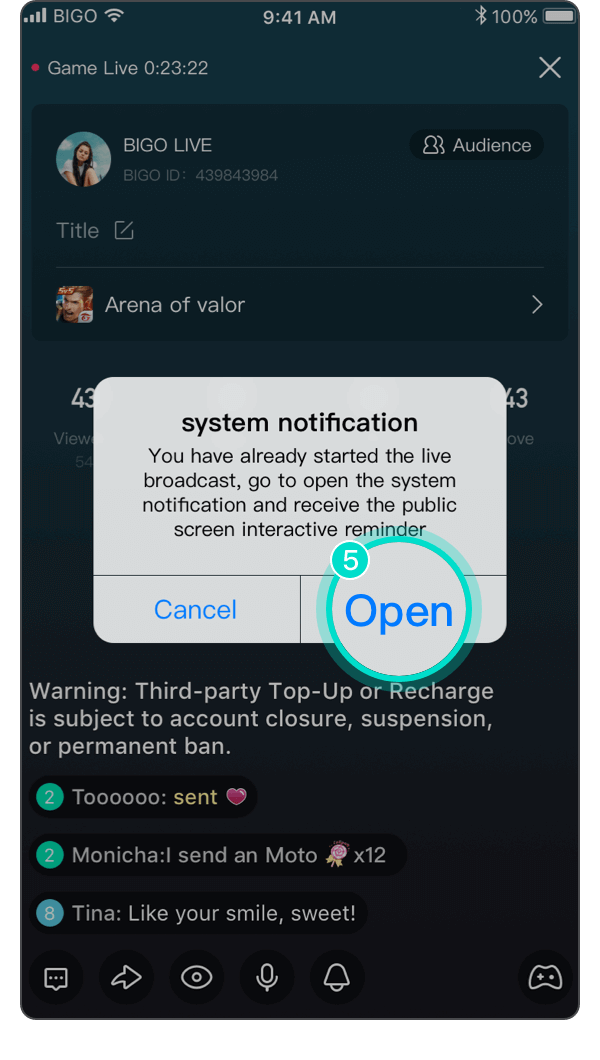
5. Click to start to gain more interaction!
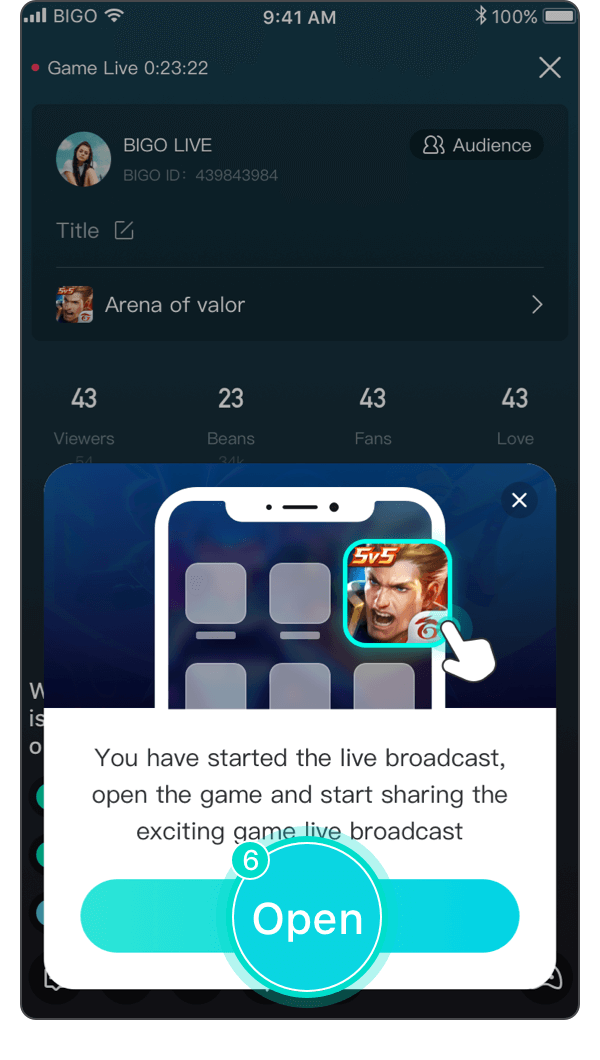
6. Click to start the game live broadcast!


Hide/show message


Private mode


Shut down/open your mic


Receive/Hide interactive message
Back to game